Mastering Your Academic Presentation with Thesis Defense Technology Google Slide
Presenting your research is often the most daunting part of the academic journey. Whether you are defending a PhD dissertation, presenting a master’s thesis, or sharing a complex case study, the visual aid you choose can significantly influence how your audience perceives your work. This is where the Thesis Defense Technology Google Slide template becomes an invaluable asset. It is not merely a collection of pretty backgrounds; it is a structured communication tool designed to elevate scholarly content through modern, minimalist design principles.
Many students and researchers make the critical error of treating their presentation slides as an afterthought. They spend months on data collection and analysis, only to rush the visual component days before the defense. This approach often leads to cluttered, inconsistent, and unprofessional slides that distract from the core message. By utilizing a specialized template like this one, you ensure that your visual narrative supports your intellectual rigor rather than undermining it.
Understanding the Value of Specialized Academic Templates
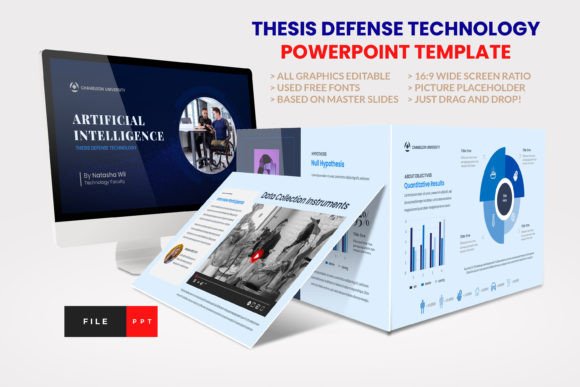
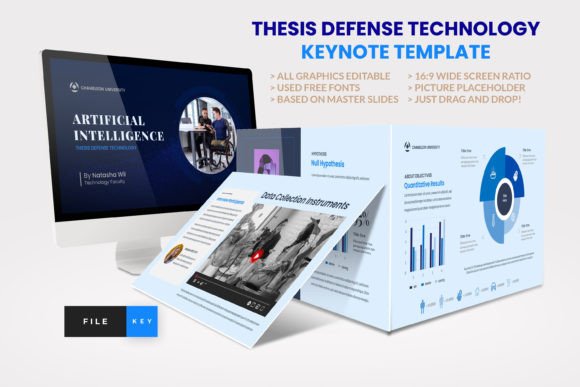
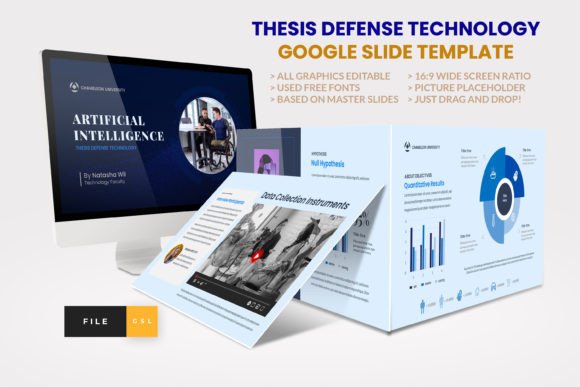
The Thesis Defense Technology Google Slide is engineered specifically for the unique demands of academic and professional presentations. Unlike generic business templates, this layout accounts for the specific sections required in scholarly work: hypothesis, methodology, literature review, theoretical framework, objectives, results, and conclusion. Having these pre-structured layouts saves hours of formatting time and ensures logical flow.
One of the primary reasons educators and students gravitate toward this template is its versatility. It is suitable for qualitative and quantitative research, literary reviews, and even creative presentations. The design balances elegance with professionalism, using clean lines and ample white space to keep the focus on your data and arguments. With 36 total slides, it provides enough variety to cover every aspect of your defense without becoming repetitive.
Common Pitfalls When Selecting Presentation Tools
Despite the availability of high-quality resources, many presenters still fall into traps that compromise their delivery. Understanding these common mistakes can help you avoid them and maximize the impact of your defense.
Ignoring Editability and Compatibility
A frequent oversight is downloading templates that look good in previews but are nightmares to edit. Some free templates use obscure fonts or locked graphics that cannot be resized or recolored. This forces the presenter to spend valuable time troubleshooting rather than refining their content. The Thesis Defense Technology Google Slide avoids this issue by using recommended free web fonts and ensuring all graphics are resizable and editable. Before committing to any template, always check if it is based on Master Slides. This feature allows you to make global changes—such as updating a logo or changing a color scheme—with a single click, ensuring consistency across all 36 slides.
Overlooking Aspect Ratio and Display Standards
In the era of high-definition projectors and large screens, using outdated 4:3 aspect ratios can make your presentation look amateurish. Black bars on the sides of your screen distract the audience and waste valuable visual real estate. This template is built on a 16:9 wide-screen ratio, which is the current standard for most modern displays. Failing to match your slide dimensions to your presentation environment can result in cropped images or distorted text, negatively affecting the clarity of your results and conclusions.
Neglecting the Importance of Picture Placeholders
Many beginners manually insert images, leading to inconsistent sizing and alignment. This creates a chaotic visual experience that undermines the professional tone of a thesis defense. A superior approach involves using templates with dedicated picture placeholders. The "drag and drop" functionality found in this Google Slide template ensures that every chart, graph, or photograph fits perfectly within the designated frame. This not only speeds up the design process but also maintains a polished, cohesive look throughout the presentation.
How to Maximize the Effectiveness of Your Defense Slides
Choosing the right template is only the first step. To truly benefit from the Thesis Defense Technology Google Slide, you must apply it strategically. Here are practical steps to ensure your presentation resonates with your committee and audience.
- Leverage the Structure: Use the pre-defined sections for your literature review and methodology. Do not try to force complex data into inappropriate layouts. If a slide is designed for a theoretical framework, use it for conceptual models, not raw data tables.
- Maintain Visual Consistency: Stick to the provided color palette and font hierarchy. Changing fonts or colors arbitrarily can confuse the audience and make your presentation feel disjointed. The minimalist design of this template is intentional; respect the white space to let your content breathe.
- Utilize the Documentation File: Most premium templates include a documentation file. Read it. It often contains tips on how to best use specific features, such as animating charts or linking external documents. Ignoring this resource means you might miss out on functionality that could enhance your presentation.
- Preview on Actual Hardware: Never assume your slides will look the same on the projection system as they do on your laptop. Test your Google Slide presentation on the actual equipment you will use during your defense. Check for readability from the back of the room and ensure all links function correctly.
Evaluating Quality Before You Commit
When considering any presentation tool, including the Thesis Defense Technology Google Slide, it is essential to evaluate what is actually included. Many demos showcase images and icons that are not part of the final download. Always read the description carefully. In this case, note that while the demo images are for preview purposes only, the template includes the essential structural elements: the PPTX file, the Google Slide link, and the documentation. Understanding this distinction prevents disappointment and helps you plan for sourcing your own relevant imagery.
Furthermore, consider the long-term utility of the template. Is it suitable for future projects? This template’s corporate and agency-style aesthetics make it adaptable for job interviews, conference presentations, or professional reports after graduation. Investing in a versatile tool provides better value than a niche design that serves only one purpose.
Final Thoughts on Professional Academic Communication
Your thesis defense is a culmination of years of hard work. The way you present your findings should reflect the quality of your research. By avoiding common design pitfalls and utilizing a robust, well-structured template like the Thesis Defense Technology Google Slide, you remove unnecessary stress from the preparation process. You gain more time to rehearse your speech and anticipate questions, which are far more critical to your success than decorative flourishes.
Remember, the goal of your slides is not to replace your speech but to enhance it. Use the minimalist layouts to highlight key points, the editable graphics to clarify complex data, and the professional structure to guide your audience through your argument logically. With the right tools and a mindful approach, you can deliver a confident, compelling, and visually stunning defense that leaves a lasting impression on your evaluators.